
Looking for gluten-free recipes that fit your nutrition goals, too? NoshUp has two tools that work together: the household Gluten-free preference, which shapes the meal plans NoshUp generates and the grocery list it builds from them, and the recipe library's nutrition filters, which narrow your results by protein per serving and calories per serving.
How to find and plan gluten-free meals in NoshUp
- Register for a free NoshUp account, then sign in. If you already have an account, sign in to continue.
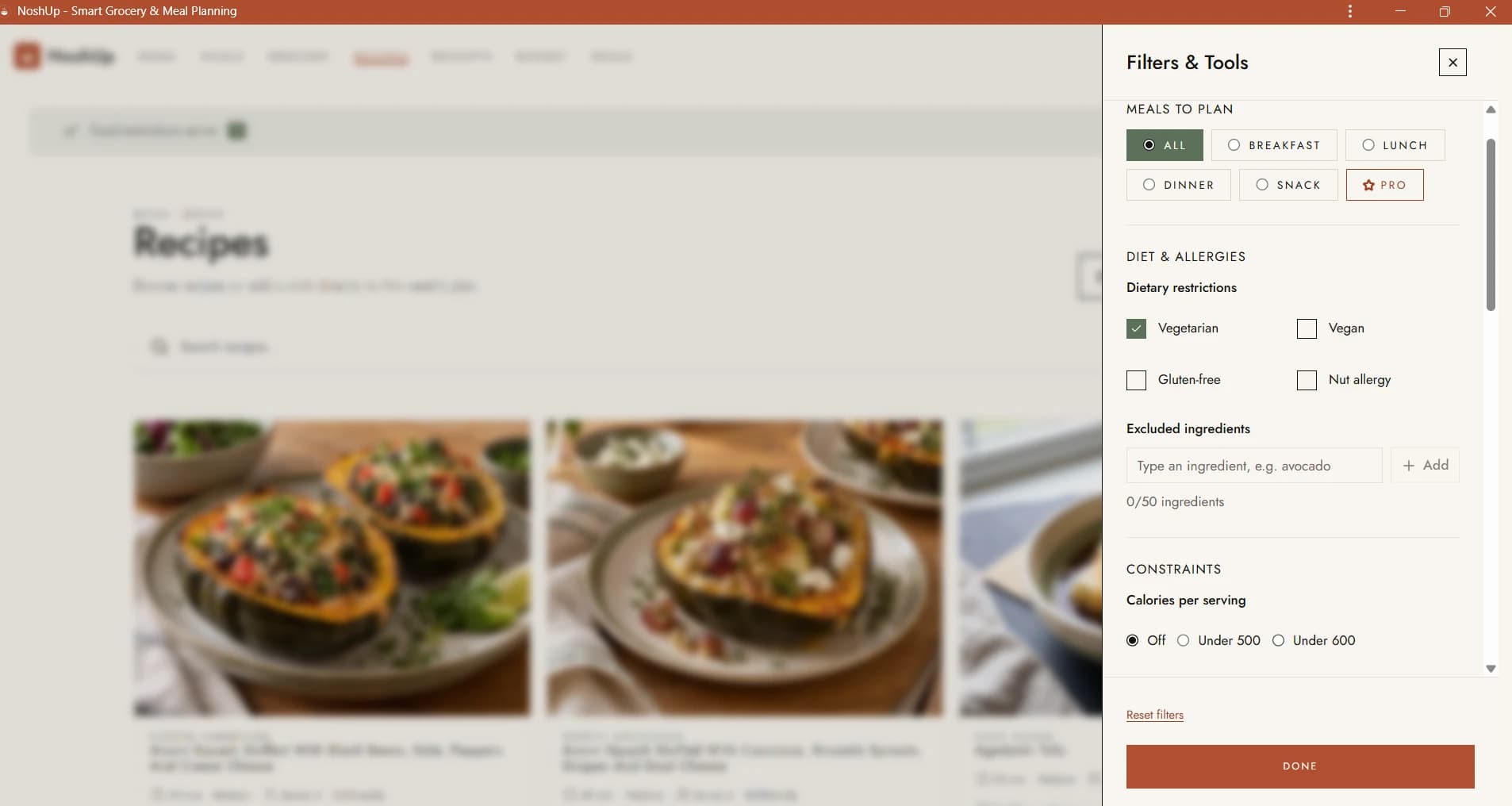
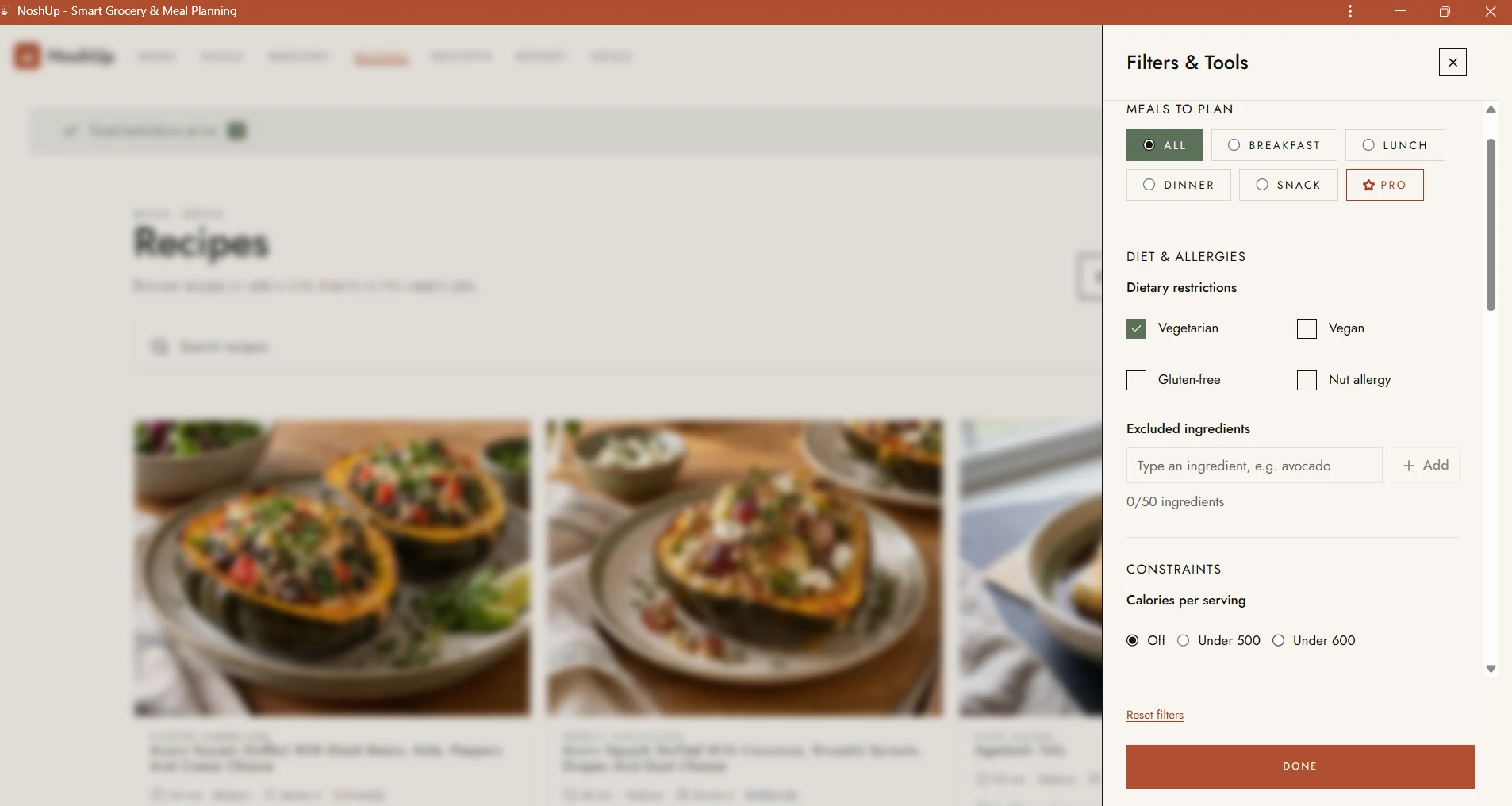
- Open Recipes and choose Filters & Tools.
- Under Diet & Allergies, select Gluten-free. Dietary preferences are household settings, so only a household admin can change them. If the option is read-only for you, ask your household admin to update it. You can also set this preference in Settings under Household.
- Under Constraints, choose a Calories per serving limit, such as Under 500, Under 600, or Under 700.
- Choose a Protein per serving target: At least 15 g, At least 20 g, or At least 25 g.
- Choose Done to save the preference and apply your filters, then browse the matching recipes. The calorie and protein filters work together.
- Open a recipe's details to review its ingredients and instructions before adding it to your plan.
- When you are finished, choose Clear filters in the search bar to remove the browsing filters and your search term. Reset filters inside the drawer only undoes changes made since you opened it, and the household Gluten-free preference stays on until a household admin switches it off under Diet & Allergies.
Recipes without the nutrition estimate needed for a selected calorie or protein filter are left out of the results. That way, a missing value is not treated as if it meets your target.
The Gluten-free preference is not a library filter. It adapts the plans NoshUp generates for your household and the grocery list built from them, giving recipes gluten-free swaps such as corn tortillas in place of flour tortillas, gluten-free pasta in place of regular pasta, or tamari in place of soy sauce. The recipe library keeps showing every recipe, so reviewing a recipe's ingredients before you add it stays important. To keep recipes that list a specific gluten-containing ingredient out of your results, add it under Excluded ingredients in the same Diet & Allergies section.
Can I filter gluten-free recipes by protein or calories?
Yes. Protein per serving and calories per serving are free library filters, and you can combine them. Protein targets are minimums, while calorie targets are limits. For example, selecting At least 20 g protein and Under 600 calories shows recipes that meet both conditions when the required estimates are available.
The Gluten-free preference itself is not a library filter, so it does not narrow these results. It shapes your generated plans and grocery list, and you can keep it on while you browse with the protein and calorie filters.
These values are estimates to help compare meals, not medical advice. Read how NoshUp calculates recipe calories to learn how recipe nutrition is estimated.
Are NoshUp's gluten-free recipes safe for celiac disease?
The gluten-free preference adapts suggested plans and grocery lists with gluten-free swaps. It is not a certification or a guarantee against cross-contact, and NoshUp cannot verify the ingredients or manufacturing practices of products you buy. If you need to avoid gluten for celiac disease or another medical reason, check every ingredient label and preparation surface, and follow guidance from your healthcare professional.
Free vs. Pro: what is included?
You can set the Gluten-free preference and use the protein and calorie filters on the free plan. Free accounts can browse and search recipes, plan one week, and use up to 500 recipes. Some recipes are marked Pro; free accounts can see these recipe cards, but need Pro to open and use the full recipe.
Pro removes the recipe limit, unlocks Pro-marked recipes, and includes additional weeks of meal planning. It also unlocks Advanced nutrition filters for carbs, fat, fibre, sugars, and sodium. You do not need Pro to eat gluten-free with NoshUp or to use the protein and calorie filters.
Make gluten-free meal planning easier
Once you find recipes that work for your household, add them to your week and build a grocery list from the meals you plan to cook. Your saved dietary preferences guide every generated meal plan, which applies gluten-free swaps for your household automatically. Review each recipe and product label when gluten avoidance is important, since a preference cannot replace checking ingredients or preventing cross-contact.
Register for free to start planning gluten-free meals that fit your preferences.
Frequently asked questions
Is the gluten-free preference free?
Yes. The Gluten-free preference is available on the free plan, along with the protein and calorie filters.
What protein targets can I choose?
Choose At least 15 g, At least 20 g, or At least 25 g of protein per serving.
What calorie limits can I choose?
Choose Under 500, Under 600, or Under 700 calories per serving. This is a per-serving limit, not a daily calorie budget.
Which nutrition filters require Pro?
Pro unlocks advanced filters for carbs, fat, fibre, sugars, and sodium. The protein and calorie filters are available without Pro.
Does Gluten-free mean a recipe is certified gluten-free?
No. The preference adapts plans and grocery lists with gluten-free swaps, but it does not certify a recipe or guarantee that ingredients are free from cross-contact. Check ingredient labels and preparation conditions yourself.